Like many big mod lists for Skyrim, Mad God’s Overhaul uses an alternate start mod that lets you create your character immediately, instead of after a 15-minute cart ride.
Skyrim’s vanilla character creator includes some presets and lets you tweak a few facial features, but there aren’t a ton of options. You certainly won’t be able to reproduce your favorite monstrosities from Oblivion.
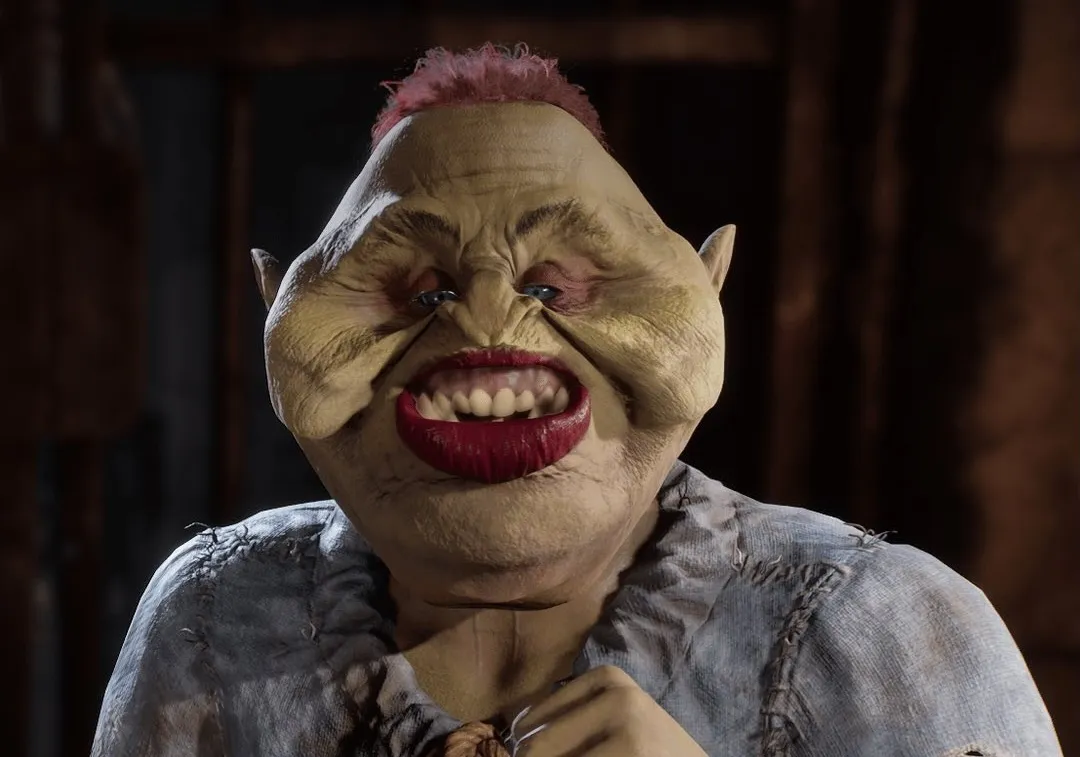
RaceMenu
RaceMenu, included in MGO (along with RacemenuVR), adds far more sliders for you to adjust until your character is just as beautiful/handsome/nauseating as you’ve always dreamed.
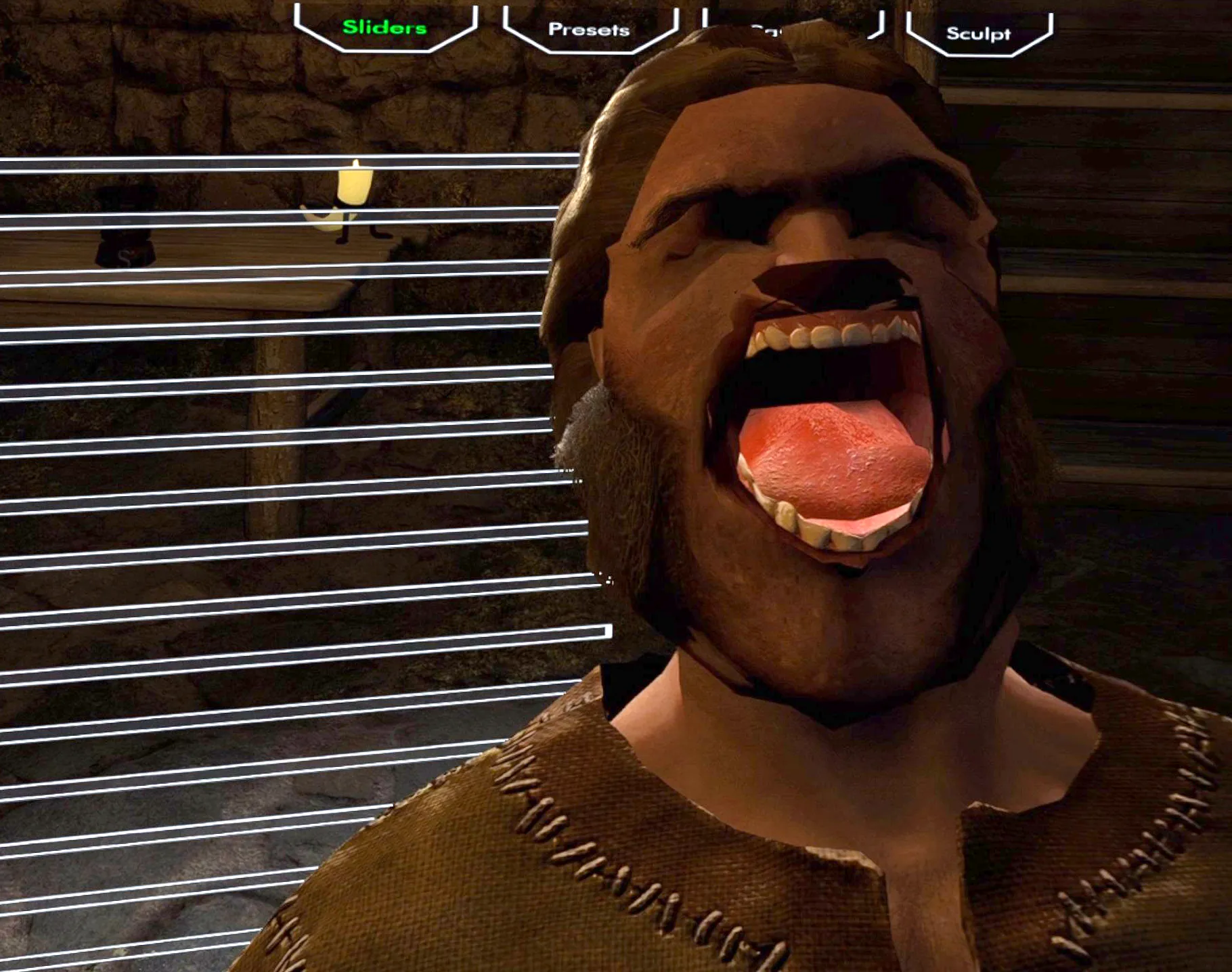
Some RaceMenu features (like the Camera and Sculpt tabs in the upper-right) don’t work in VR, and the VR version is a little bit harder to navigate. But there’s still an incredible assortment of sliders you can tweak, and you can load presets created in the flat version (as long as they have no dependencies that aren’t available in MGO).
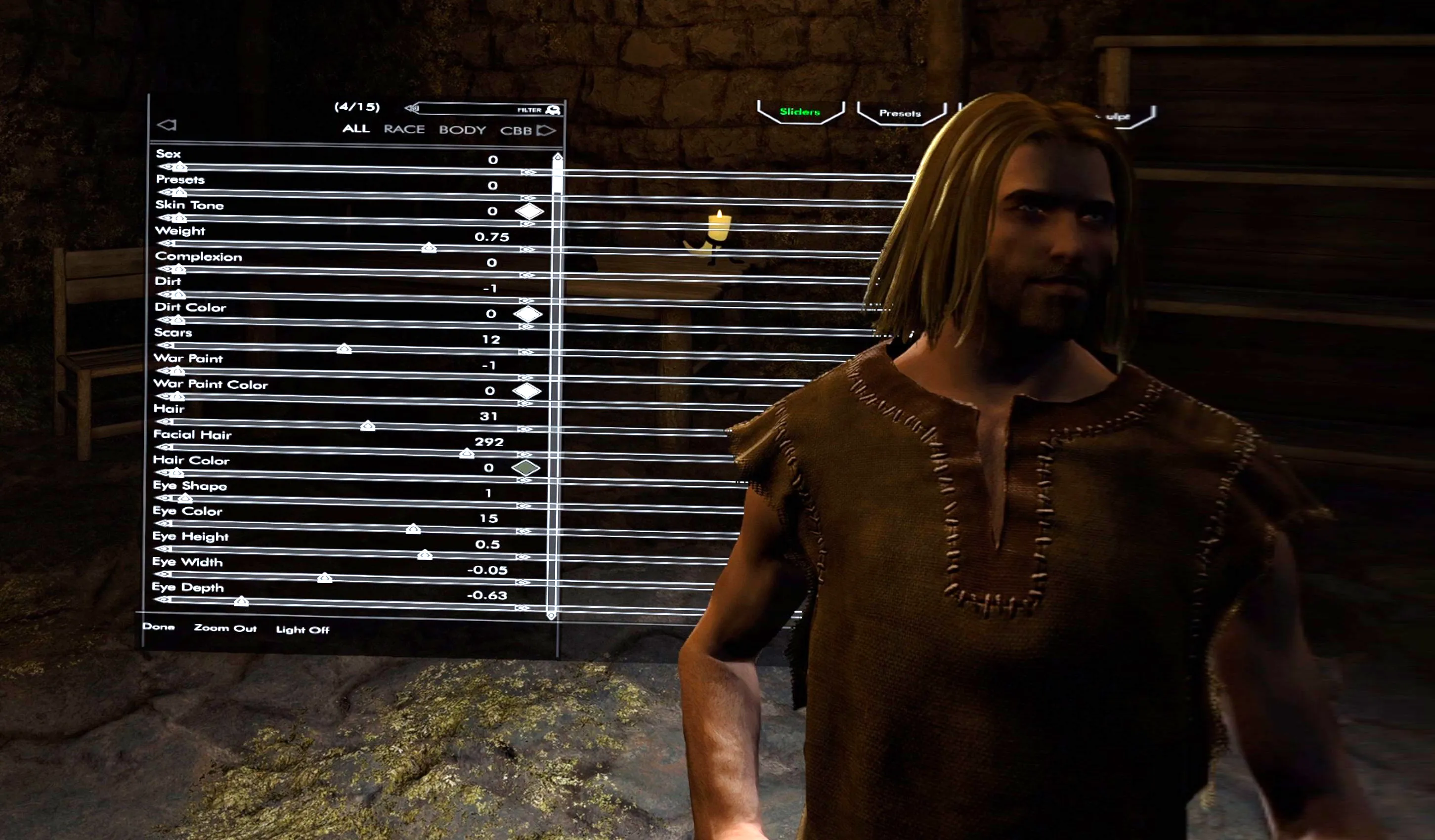
There are a couple of ways to adjust the values of each slider. You can point directly at the marker with your motion controller, hold down the  A button, and move your controller left and right to adjust each slider. You have to initially point pretty precisely, but once you begin holding down the A button, you can rest assured that you’ll be adjusting that same slider until you release the button. That initial selection is easier if you can move closer to where the RaceMenu UI appears. (You aren’t able to use the thumbsticks to move while the RaceMenu is active, so you’ll have to move in your physical space.)
The other approach is to point just above the slider and use the thumbstick to move it left and right. It requires a bit less precision than the other approach, but you must be careful to keep your pointer within that space the entire time you’re making adjustments. If your pointer moves past the slider above or below, you’ll start adjusting an entirely different value. I find that this approach works best when only adjusting a value by one or two notches. For bigger changes, it’s too easily to accidentally move your cursor over a different slider.
RaceMenu will start on the “ALL” tab, showing every available slider, but there are tabs for various categories (BODY, FACE, etc.), so you don’t have to do it all on a single page. Switch tabs by using the pointer and the A button.
Some tabs still have an awful lot of sliders, so you’ll need to scroll (which, again, requires some high-precision pointing) to see all of the options. Point precisely at the scroll marker (ignoring the fact that the sliders appear to extend far to the right of the scrollbar), hold down A, and use your motion controller to move the scroll marker’s position.
A note to the NSFW crowd...
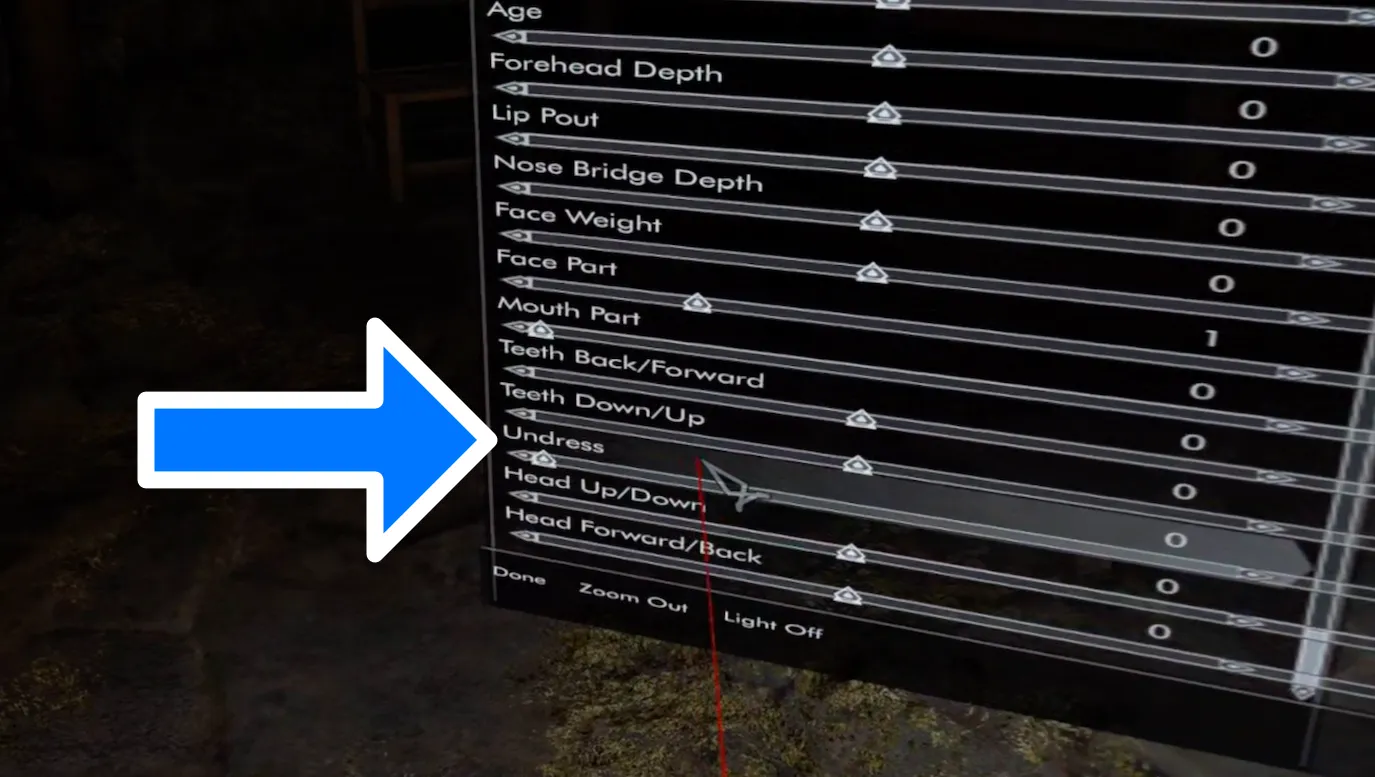
If you’re playing the NSFW list, you may be disappointed to find your character fully clothed, in spite of how… extensive the customization options are.
Fear not! There’s a slider near the bottom of the BODY tab (and the ALL tab) to toggle between a dressed and undressed state.
Build options
In many RPGs, your build is a Very Big Deal, and choosing poorly can make or break your experience before you’ve really even started playing. Skyrim, unlike earlier entries in The Elder Scrolls series, is not that kind of game. In fact, in vanilla, your initial selections make almost no difference. There are no classes, there’s no concept of major and minor skills, you don’t have a birthsign, and racial differences are so minor that they’re effectively irrelevant. There are still ways to optimize for certain play styles in vanilla, mostly via the Standing Stones, but those can be changed mid-game. You don’t have to commit before you’ve even picked up a weapon.
With the mods in MGO, it’s still hard to set yourself up for long-term failure by speccing your character poorly, but the races at least feel like they matter beyond a few tiny bits of dialogue. Aetherius overhauls the various races’ passive abilities and their starting levels in various skills. This reintroduces the concept of major and minor skills… kind of. In previous games, major and minor skills had a huge impact of how you leveled up your character. That feature remains absent from Skyrim, so you still don’t need to be terrified of being a Bosmer when you should have been a Redguard. (In fact, in MGO, your overall level isn’t based on your skills at all. It’s based on gaining experience through discovering locations and completing quests. See the Experience mod for details.) Aetherius also starts certain races with additional spells. Check out the mod page for all the details.
(Standing Stones don’t come into play until you actually start the game, but MGO includes an overhaul for that system as well: Mundus.)
Wrapping up
When your character looks perfect (or perfectly abhorrent, as the case may be), you can finish by squeezing the  Grip on one of your controllers, or you can point to Done in the extreme lower-left of the RaceMenu UI and press A on your controller.
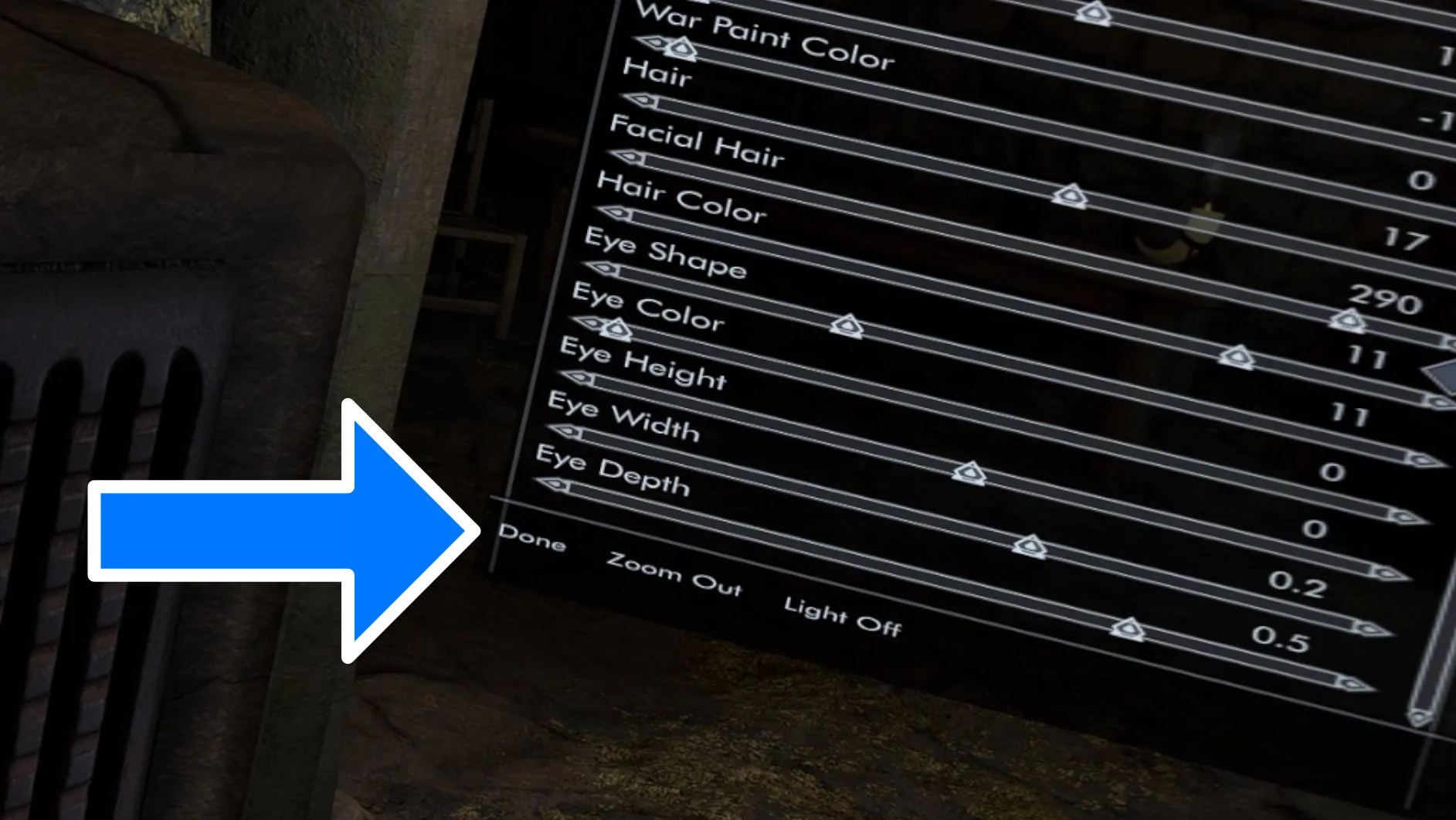
Whichever method you choose, you’ll be prompted to confirm that you’re finished and ready to name your character. If you’re running the game through SteamVR, you’ll see SteamVR’s onscreen keyboard. If you’re using Open Composite Unleashed, you’ll see the keyboard that’s built into that mod. With Open Composite Unleashed, you’ll still see the red laser pointers that you used to control RaceMenu, alongside the white laser pointers that you need to use with the onscreen keyboard.
Changing your mind… and your face
You can access the RaceMenu mid-playthrough to make further adjustments to your character with the console command showracemenu. Mind you, the changes will be purely cosmetic. If you change your character’s race—from Nord to Argonian, for example—your racial bonuses won’t be updated.